
Disconnect Wardogs Guide
What does loadout cost tell you in Wardogs?
Wardogs loadout cost tells you about the cost of equipment, not how much cash a player has left. Disconnect's Loadout Cost ESP displays the supported loadout value beside a player. It adds one piece of context, but the number does not identify skill, health or a complete inventory.
Separate your own cash balance, the cost of your deployment and an enemy's displayed loadout value. They are different numbers. Loadout Cost ESP adds a cost label and a minimum-cost control, without creating money or revealing the player's spendable balance.
The money you have and the equipment you buy
Wardogs makes equipment spending part of each life. The official game description says players buy a loadout for each life and carry cash between matches. It also identifies reviving, transporting teammates and objective control as ways to earn cash.
That creates two separate questions when you deploy. How much are you taking into this life, and how much will remain if it goes badly? A loadout you can afford once may still leave little room for another attempt. Looking only at the purchase total misses the reserve behind it.
An enemy's cost label answers neither of those questions about your own balance. It shows the supported value associated with that player's loadout. You cannot subtract it from an assumed starting amount to calculate their remaining cash, because you do not know their previous earnings or spending.
The Wardogs cheats guide explains Loadout Cost ESP alongside the rest of the cheat. Here, the focus is reading that number sensibly and keeping it separate from the game's wider money system.
A cost label is one fact about a player
Two players can have similarly priced loadouts and still present very different situations. One might be close to your squad, another farther away. One might have little health left, another might be wounded. A shared price does not make their positions, states or immediate relevance identical.
This is where Loadout Cost ESP works alongside other player details. Distance helps you place the player in relation to you. A health bar concerns their current health. Squad and faction markers identify relationships. Cost adds equipment context, without replacing any of those separate facts.
It also cannot tell you how skilled someone is. Expensive equipment can be carried by an inexperienced player, and a cheaper loadout can be used by someone who knows the game well. Reading price as a skill rating adds an assumption that the label itself does not support.
There is a similar limit with intent. A high value does not prove that a player is attacking the same objective as you or watching your position. Use what you can observe about the player, rather than letting the equipment total supply a whole story about what they will do next.
What Disconnect's Loadout Cost ESP includes
The Wardogs External product page confirms Loadout Cost ESP, a minimum loadout cost control and placement at the top, bottom or right side. It also names a separate colour for the cost text.
The minimum-cost control is relevant when you want to reduce how many cost values compete for attention. Raising a threshold narrows the values that meet it. That does not make players below the threshold disappear from the battlefield or establish that they are harmless.
The description does not confirm a complete inventory breakdown. A total alone cannot tell you which individual items account for that amount, and it should not be presented as a list of every weapon, piece of equipment or carried item. The confirmed feature is the supported loadout-cost display.
There is also no confirmed money-generation function in this menu. A numerical ESP label is still a display feature. It does not add cash to your account, refund a deployment or change the price of an item in the game.
Your available cash
Your own balance concerns what you can spend. Use the game's own balance and purchase display when deciding what you can afford.
A player's loadout value
The ESP label concerns the supported cost of that player's loadout. It does not reveal the amount left in that person's account.
Give the number a place you can read
Cost text needs room beside the other details attached to a player. If the name, distance and cost all occupy the same area, you spend time separating them before you can read any one field. A larger font can make that overlap worse rather than solving it.
Disconnect gives cost top, bottom and right-side placement. Distance has its own placement choices, and the health bar can sit at the side or bottom. Use those differences to give each detail a consistent location. The aim is to recognise which number is cost before you start interpreting it.
Colour should have a consistent meaning as well. If a particular colour identifies a wounded enemy elsewhere in the display, using that same colour for every cost value can create an unnecessary ambiguity. A cost number should remain readable without competing with the relationship or state you need to recognise first.
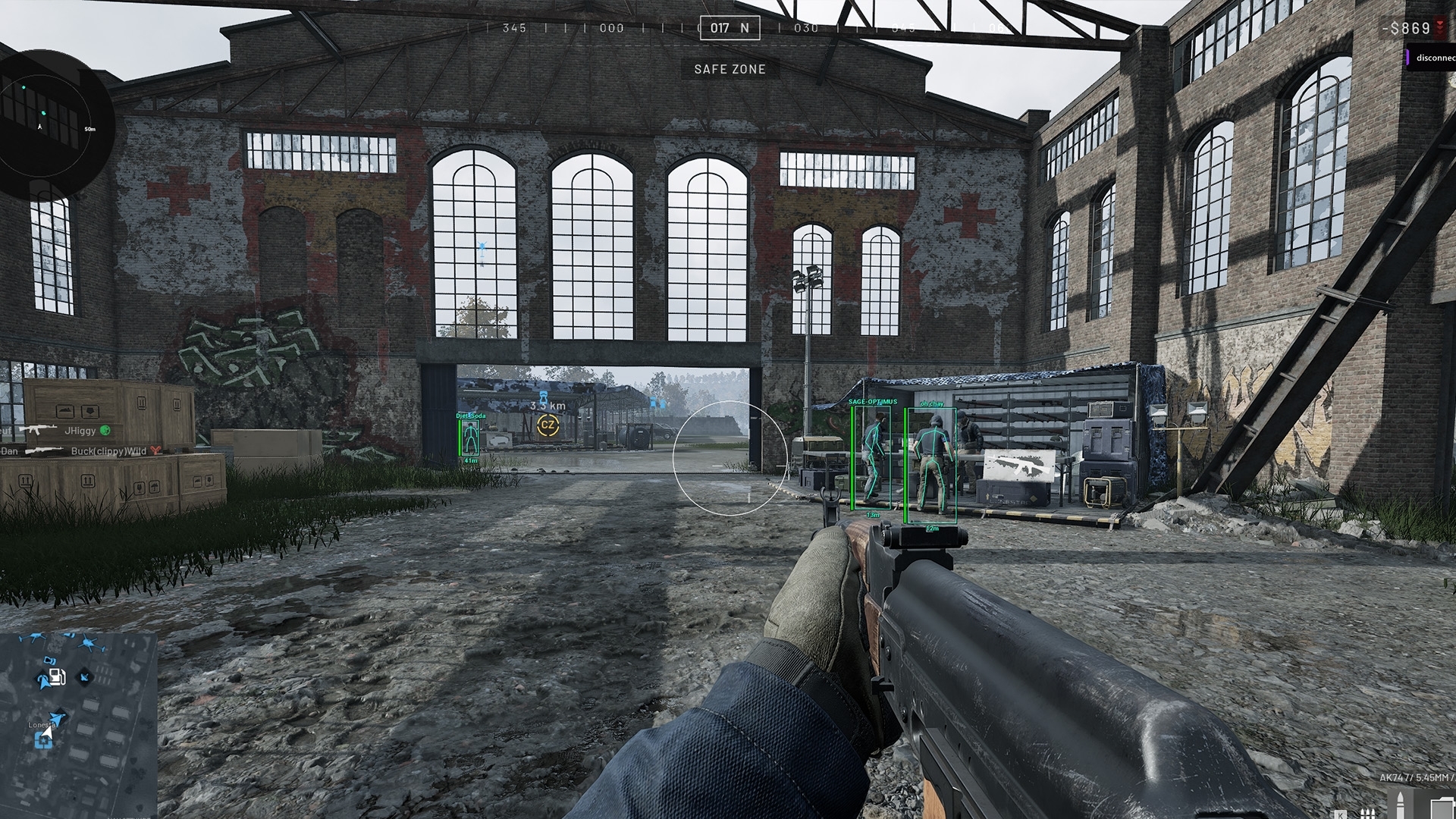
The existing Wardogs Player ESP guide covers the wider screen layout. Cost is only one part of that display, so it deserves enough space without taking priority over every other player detail.
Filtering by cost changes what you notice
A minimum threshold can make a busy screen easier to read, but it also gives your attention a bias. Players with visible cost text can stand out more than players without it. That is a consequence of the display you chose, rather than proof that the highlighted players are the only ones worth noticing.
Think about the question you actually need answered. If you are trying to locate your own squad, a loadout value is less direct than a squad marker. If you need to identify a wounded player, the wounded-player display gives more relevant context than the amount spent on equipment.
There is no evidence for one minimum-cost number that works across every session. A threshold is a preference about which values to display, and the useful value depends on what you want to read. Treat a numerical recommendation as an example unless its purpose and current game context are clear.
The same applies when someone shares a screenshot with very few labels. You do not know how many players were outside the display distance or below a threshold. A clean image shows the selected presentation. It does not demonstrate that every player nearby was visible in that image.
Spend for the next life as well as this one
A practical spending decision starts with the job you intend to do and the amount you can afford to commit. Equipment that serves that job is easier to justify than a higher total chosen simply because it is available. The useful question is what the purchase lets you do, not how impressive the total looks.
Keep a reserve in mind when reviewing your own loadout. If losing the equipment would leave you unable to buy what you want for the next deployment, that is a different decision from spending the same amount while retaining a comfortable balance. The equipment price alone cannot express that difference.
That reasoning does not require an invented earnings table. You can read your current balance and the actual purchase amount shown by the game. Fixed claims about how much every revive or journey will pay can age quickly, so use current in-game values when calculating your own spending.
Enemy Loadout Cost ESP cannot do that budgeting for you. It does not show your future earnings or promise a reward for engaging a particular player. Keeping those decisions separate prevents an enemy's expensive equipment from becoming an unsupported promise about your own profit.
Save the display you understand
Disconnect supports saving and loading multiple configs. Once cost, name and distance occupy positions you can read, saving the result preserves those choices. A descriptive config name is more useful than one that says only that everything is better, because it reminds you what actually differs.
If you keep several configs, maintain a consistent meaning for colours and placement where possible. Moving cost to a different side each time adds an extra thing to interpret. You can change how much detail is displayed without making every familiar label mean something different.
Read the display as a set of separate observations: where the player is, their relationship to you, their current state and the supported cost number. The value becomes useful when it adds context to those observations. It becomes misleading when it replaces them.
Loadout Cost ESP remains a cheat feature and does not remove account risk. For current product availability, refer to the Disconnect status page. The enduring point is simple: cost describes equipment value, while your buying decision still depends on your own balance and what you intend to do.
Frequently asked questions
Does Loadout Cost ESP show a player's remaining cash?
No. It displays the supported cost associated with their loadout. That is different from the cash remaining in the player's account.
Can Loadout Cost ESP generate money?
No money-generation feature is confirmed for Disconnect Wardogs External. Loadout Cost ESP displays a value beside a player and does not add cash or refund equipment.
Where can the cost label appear?
The documented positions are top, bottom and right side. The product also includes a minimum loadout cost control and a colour for the cost text.
Does an expensive loadout identify a better player?
No. Equipment cost does not establish skill, health, position or intent. Read it alongside the separate player details instead of treating it as a threat rating.