
Disconnect Wardogs Guide
How to Choose a Wardogs Cheat Subscription
Choose your Wardogs cheat subscription around when you expect to play. DisconnectCheats offers one-day, three-day, one-week and one-month access, plus Lifetime. Read the selected period and price together before completing the purchase.
Start with compatibility and current product status, then choose a subscription duration. A longer period is not evidence of extra features or stronger protection. Use the current purchase controls for the price and terms that apply to your order.
Choose a Wardogs access period around your play time
A Wardogs cheat subscription is an access decision. Start with when you expect to use the product rather than automatically choosing the longest option. A longer period can fit a different schedule, but duration alone does not establish extra features or better account protection. Get the software choice right before comparing the periods.
One day access can suit a short opportunity to use the product. Think about whether you will actually be available for that period, then establish when it begins. The presence of a short option is not proof that access starts only when you first launch the game, so the start point still matters.
Three day access and one week access cover different planned windows. Choose between them using your own available time rather than the most prominent card. The displayed periods describe the options on the Wardogs product, not a recommendation that every reader should buy the same one.
One month access and the Lifetime option need their own reading. The longer label does not mean every future game release or feature is guaranteed. Keep the current entitlement terms attached to the choice, particularly if continued access matters more to you than the smallest payment today.
Two sessions separated by several days create a different choice from one continuous weekend. Count the time between them as well as the hours you expect to play, then read whether the selected entitlement runs continuously. Do not assume that days when you are away can be saved for later. That question belongs to the actual entitlement conditions.
Check the Wardogs product before the duration
Before choosing a Wardogs cheat subscription, establish which functions you want. Ordinary aiming, supported player detail and a positional panel answer different questions. A period is useful only after the product fits the job. Paying for more time does not add an undocumented aiming mode or camera function.
The Wardogs cheats category explains the available product, while the individual product carries the actual access choices. DisconnectCheats keeps the feature and buying information attached to Wardogs rather than borrowing a function from its Rust products. Use that game-specific information when deciding what you want to use.
An ordinary aimbot can select a body point and move aim, while player visuals put information beside a person. Radar supplies a separate positional view. You can prefer one of those groups without needing every other feature to be enabled. Duration should follow that preference rather than decide it for you.
Choose a Wardogs cheat subscription for the product described now, then read when the access timer begins. If one unlisted function is essential, resolve that specific function before purchase. A broad description such as external does not supply a missing feature list or make every aiming behaviour identical.
Read the access start and renewal terms once
A Wardogs cheat subscription needs a clear activation point. Buying in advance is a different plan from being ready to use the product immediately. Read when the entitlement begins so you know which period you are choosing, without assuming that another provider’s procedure applies here.
Automatic renewal is a separate term. A Wardogs cheat subscription offered for a month does not, by that wording alone, tell you whether another charge follows. Use the current purchase information for that answer. The label on a duration card should not be stretched into a payment arrangement it does not state.
For a second Wardogs cheat subscription, establish how it relates to the entitlement you already hold. Another purchase might have its own conditions, so do not assume the periods combine or can be transferred. Ask that precise question if it affects your plans rather than treating a new payment as a universal extension.
Read the refund terms and downtime terms for the actual purchase. They are different questions from the duration itself. A short period does not establish a right to pause, and a long period does not by itself explain how an interruption is handled. Keep the relevant current terms with your purchase decision.
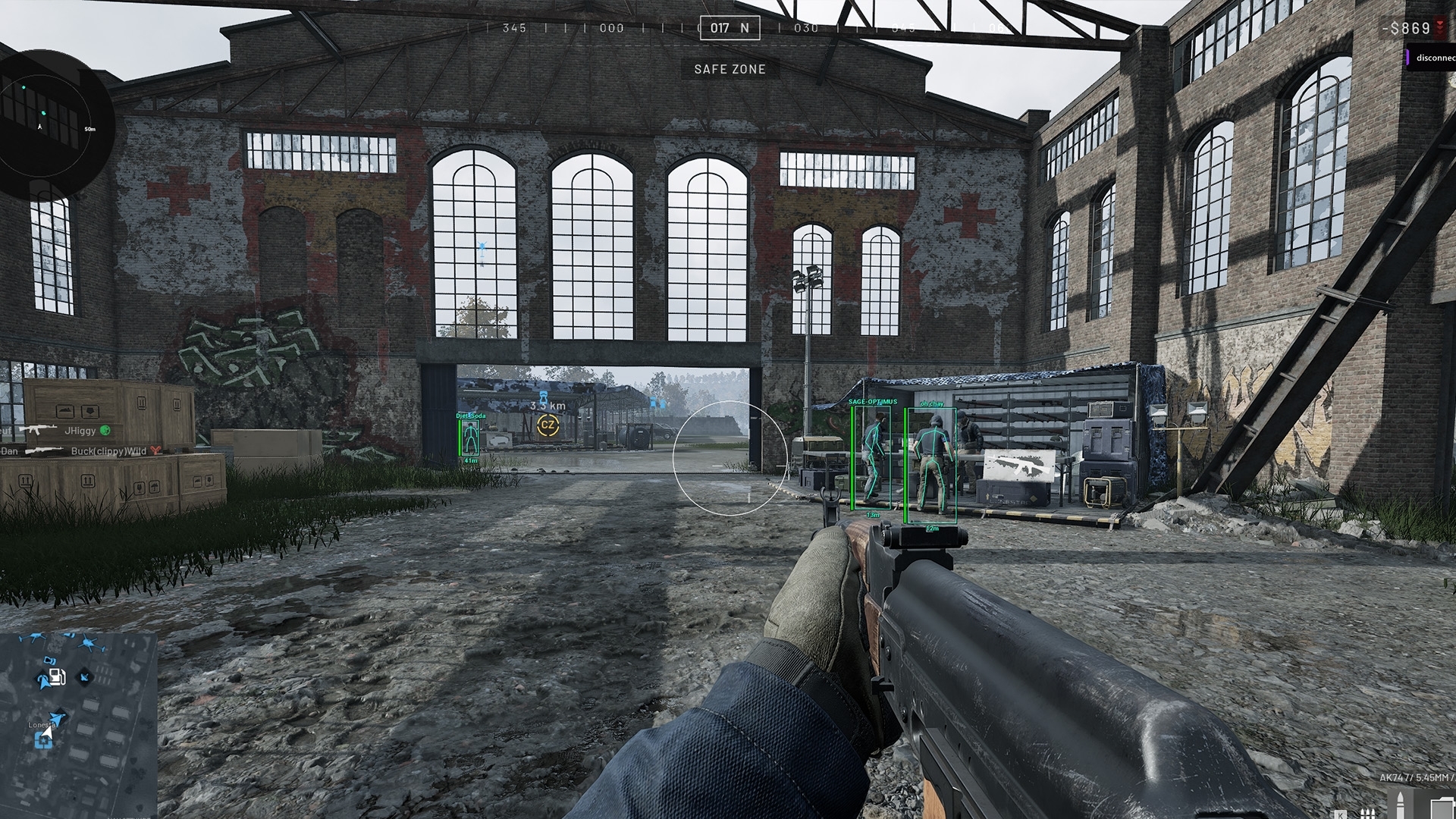
Match your Windows PC to the Wardogs product
Check PC support before buying a Wardogs cheat subscription. The cheat’s operating environment and the game’s graphics, memory and storage needs answer different questions about the same machine. A computer that can run the cheat is not automatically proven suitable for your preferred game resolution and recording workload.
DisconnectCheats names Windows 10 and Windows 11 for Wardogs External. Read those as the stated operating-system choices, then use the access instructions for any more specific requirement. A general version name is not permission to combine unrelated setup guides or make changes intended for another product.
Intel and AMD support concern processor families. The game still needs a sufficient model, along with suitable graphics hardware and available memory. Keep the full component names when asking a compatibility question, because saying only that the PC is powerful leaves the relevant specification missing.
The no-USB statement answers one hardware question for this product. It is not a claim that the game has no requirements or that every unusual system is supported. Choose the period after resolving your own system question, rather than paying for longer access as a supposed solution to an incompatibility.
Read the selected order without exposing your key
Read the product name and checkout amount for the selected option. A daily equivalent can help explain a longer period, but the total is what you are agreeing to pay. Check the actual selection rather than assuming that whichever card looks highlighted in an old screenshot is the period in your order.
Keep the order reference after purchasing a Wardogs cheat subscription. It gives support a way to identify the transaction if you need help with access or the selected period. Describe the issue and the product involved instead of posting a complete account screen containing information unrelated to the problem.
Your subscription key is access information. Keep it out of public images, filenames and forum replies. A support question can describe an expiry message or a purchase problem without making that information public. Use the legitimate support route associated with the provider rather than an unsolicited message claiming to help.
For a Wardogs cheat subscription problem, distinguish an expired entitlement from a software fault. Another payment does not diagnose a feature that behaves unexpectedly. Keep the message and sequence of events available so the question goes to the right subject instead of becoming a guess about every part of the product.
If you make two purchases, keep each purchase record identifiable by its product, period and transaction time. That helps distinguish a duplicate-payment question from a request about the other purchase. Check which transaction a support reply concerns before treating an answer about one as an answer about both. You can organise those records without exposing the private details used to log in.
Keep product status separate from paid access
Product status reports what the provider currently says about the named release. It does not promise the future behaviour of every feature throughout a purchased period. Read the actual notice when deciding whether to proceed, rather than carrying an old screenshot forward as though its information had been refreshed.
Subscription duration does not remove account risk. A monthly purchase and a short purchase are both access choices, not different levels of protection against game enforcement. The same applies to a quieter-looking display or ordinary aiming movement. Choose the software only with an accurate understanding of what that entitlement does and does not mean.
DisconnectCheats has a dedicated product page for the periods and requirements discussed here. Use it as the reference for the order you intend to make. A guide can explain the distinctions, but the amount and selected option should come from the actual purchase controls when you are ready.
Choose a Wardogs cheat subscription for the correct game, the supported functions you need, a suitable PC and a period that fits your plans. Retain the purchase reference afterwards. This avoids treating a duration card as a claim about performance, account outcomes or features that were never part of the product description.
Questions about Wardogs access periods
Which Wardogs subscription periods are offered?
Wardogs External offers one-day, three-day, one-week and one-month access, plus Lifetime. Read the current terms and price for the period you select.
Does monthly access include more cheat features?
The duration alone does not establish a different feature set. Check the current product if different access tiers are offered.
When does the subscription timer start?
Confirm the activation terms in the current access instructions or with support before purchase.
Does a longer subscription guarantee undetected status?
No. Subscription duration and detection status are separate, and neither removes account risk.
Related Wardogs cheat guides
Free Wardogs Cheats vs Paid Cheats
Wardogs Cheat Requirements for Windows PCs
External Wardogs cheats explained
Wardogs External product and access periods · Current Wardogs cheat status