Disconnect Wardogs Guide
What Is Wardogs Freecam?
Freecam changes the camera's viewpoint or movement separately from normal character movement. Zoom changes the framing instead. A camera keybind activates the feature where it is supported, while movement speed controls how quickly the viewpoint travels.
Wardogs Freecam and its activation bind
Wardogs Freecam uses a camera activation key where that function is supported. Keep that assignment distinct from the game's movement controls. A key used for zoom changes the framing, so it should not be assumed to activate camera movement as well.
Before trying the feature, note the current Wardogs freecam keybind.
Check it against the keys you use for game actions and recording. A duplicated bind can make two things happen at once, leaving you unsure whether the camera response came from the game or the cheat.
See the Wardogs cheats guide for the full aimbot, ESP and radar feature overview.
Camera speed when Freecam is supported
Wardogs freecam speed affects how quickly the camera moves. Begin with a value you can follow and change it in small steps. Fast camera movement can make it difficult to recognise where the view has moved, particularly near buildings and other close geometry.
For Wardogs Freecam, keep the original speed available and compare the same short camera movement after each adjustment. Judge whether you can follow the movement and stop where intended before increasing speed again.
Freecam viewpoint and character movement
Keep camera movement and character movement distinct. When testing Wardogs freecam, note the viewpoint before activation and the viewpoint after returning to normal play.
That gives you a clear reference for the camera change.
Use the Wardogs freecam keybind deliberately and check what happens when you deactivate the feature.
If the camera view does not return as expected, note the sequence of inputs and the active speed. Those details make a camera problem easier to reproduce.
Zoom FOV is not Freecam
Zoom changes the camera's field of view. A free camera changes the viewpoint or its movement.
A zoom key therefore should not be treated as a Wardogs freecam activation key, even when both affect the picture you see.
Aimbot FOV is different again: it restricts a targeting area.
The FOV Circle is an aiming reference, while the Target Line is another aiming display.
Neither should be treated as a camera-position control because it appears over the same gameplay view.
Read Player ESP and radar beside the camera view
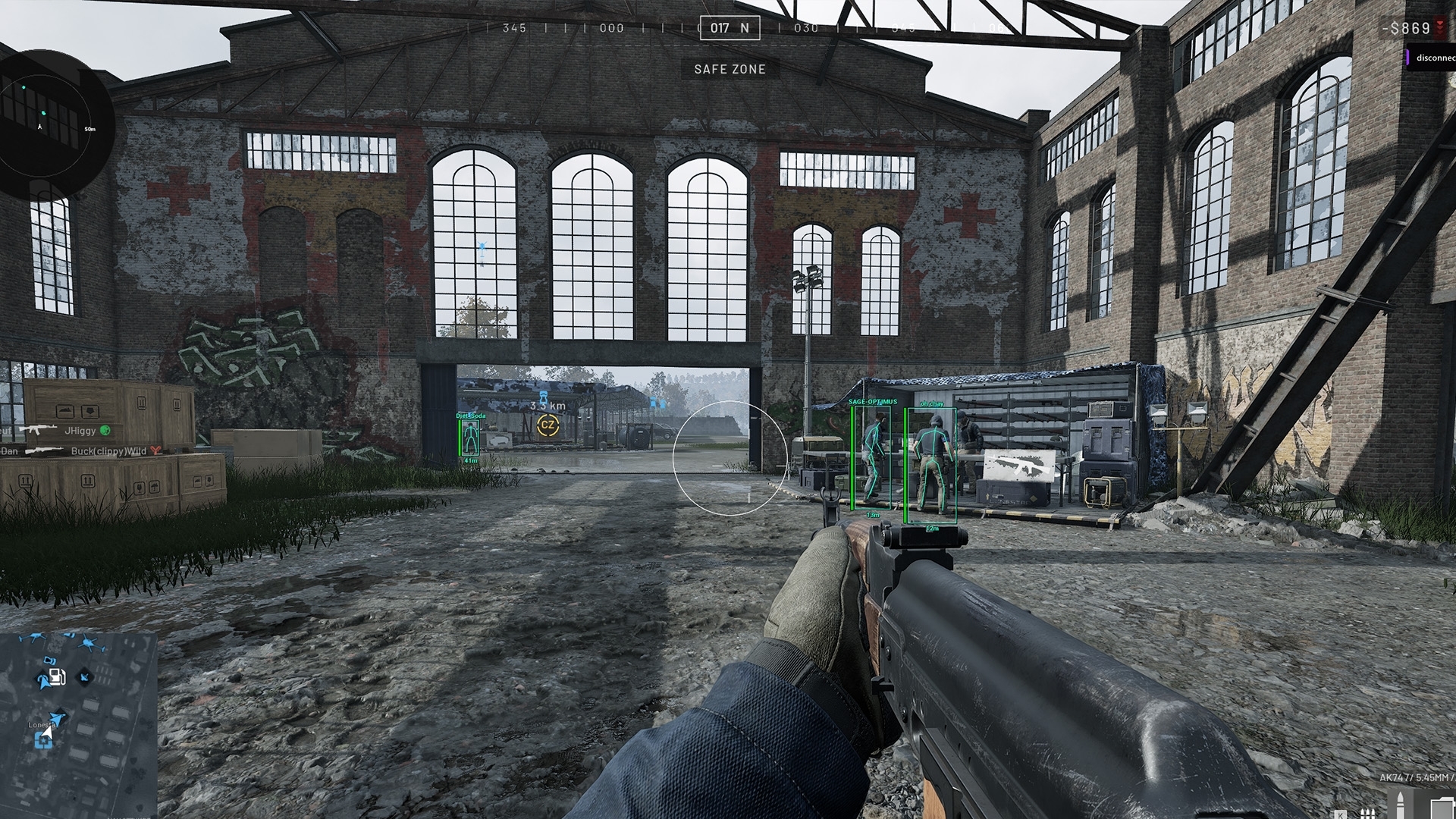
Player ESP draws supported player details over the scene.
Radar uses a separate positional display with its own radar distance. These features are not proof that every camera position will produce identical ESP behaviour.
Leave your ESP choices familiar while checking Wardogs Freecam. That gives you one variable to assess. If the camera moves and the overlay also changes, you can describe which feature you altered rather than guessing from several simultaneous adjustments.
Keep camera binds in a saved cheat config
A saved cheat config can help you return to familiar keybinds and display choices. Keep a recognisable copy before importing different preferences. Read the active options afterwards so you know whether aiming or visuals changed alongside the camera choices.
Do not assume a shared config contains only Wardogs freecam values. It may also change aiming, colours or other controls. Review the entire active configuration before use and keep your original export somewhere you can identify without relying on an identical filename.
Wardogs Freecam availability before buying
The Wardogs cheats page covers player visuals and radar. DisconnectCheats lists current access periods and Windows requirements on the Wardogs External product page.
If Wardogs Freecam behaves unexpectedly, describe the camera response, keybind and active speed to support. Keep your normal config available so you can distinguish a new camera choice from the configuration you used previously.
Questions about Wardogs Freecam
Does Wardogs External currently include Freecam?
Current Freecam availability needs confirmation from DisconnectCheats before purchase. Do not infer it from the presence of an Aimbot or Visuals tab.
Is freecam the same as zoom?
No. Zoom changes the field of view. A free camera changes the viewpoint or its movement, where that function is supported.
How should I choose Freecam speed?
Begin with a speed you can follow, make small adjustments and keep the original value available so you can return to it.
Which key activates a free camera?
Use the assigned key in the product that supports the function. There is no universal Wardogs cheat shortcut assumed here.
Related Wardogs cheat guides
How to Save and Share Wardogs Cheat Configs
How to Check Wardogs ESP in OBS Recordings
External Wardogs cheats explained
Wardogs External product and access periods · Current Wardogs cheat status