
Rust Purchase Walkthrough
How to Buy Rust Hacks and Where to Get Them
This is how to buy Rust hacks from DisconnectCheats without guessing at any step: what to sort out first, what each button on the product page does, how payment and delivery work and what to do when the first launch doesn't go to plan.
Sign in, open Rust External or Rust Internal, choose a plan and pay by card or crypto. Delivery is automatic once payment clears, and your account library is where the site keeps keys, downloads, invoices and setup files. Support runs through tickets on the DisconnectCheats Discord.
Sort These Out Before You Pay
Five minutes here saves a support ticket later. If you haven't picked a product yet, read what to check before you buy Rust cheats and what the features in the best Rust hacks actually do, then come back. This page assumes the choice is made and covers the purchase itself.
- Your PC. Rust cheats PC requirements differ by seller. Both Rust products here state Windows 10 or 11 on Intel or AMD, with no USB, BIOS or Windows features required.
- The status. Open the status page and confirm your product shows Undetected, not Testing.
- An account. Create one or sign in first. Registration asks for a display name, email address and password, plus agreement to the Terms of Use.
- A payment method. The site shows Visa, Mastercard, American Express, Discover, Diners Club, JCB, Bitcoin and other cryptocurrency.
- A Rust account you can afford to lose. Rust runs EAC, and no checkout changes that.
Do You Need an Account?
Plan on it. Almost everything DisconnectCheats delivers after payment lives in your account. The sign-in page describes the account as the place to reach your purchases, licences and downloads, and the guides page says keys, downloads, invoices and setup files are kept together in one account. The purchases area itself isn't open to guests.
Setup help is tied to the account as well. The guides page notes that further guides are available to customers once they sign in, matched to the products they own. Buying while signed in keeps the key, the download and the instructions in one place, which is exactly where you'll want them at the first launch.
If checkout ever offers to carry on without an account, sign in anyway, for the reasons above. Use an email address you control and keep the password to yourself. Support may ask for your order reference, but nobody needs your password to help you.
Six Steps From Product Page to Paid
Knowing how to buy Rust hacks properly mostly means knowing what each screen is for. Here's the route on the live site. If it's your first purchase, take a single day: it's the cheapest way to confirm the cheat runs on your PC before you commit to a week or more.
Open the product page
Go to the Rust External cheat or the Rust Internal cheat. Each page has its own plans, technical details, feature groups and FAQ, with a status badge at the top.
Choose the access length
Plans sit in a grid. External runs from $7.99 for a day to $299.99 for Lifetime, and Internal from $8.99 for a day to $119.99 for three months. Most plans show their cost per day underneath. If you're after cheap Rust cheats, that figure matters more than the headline price.
Purchase now or Add to cart
Purchase now moves the selected plan straight on. Add to cart holds it in your cart so you can review it first. Leave the quantity at 1 unless you really mean to buy more than one.
Review the cart
The cart shows an order summary in USD with a subtotal, and notes that taxes and any renewal terms are confirmed at checkout. Read that before you go further.
Pay
Choose from the methods the site shows: the major cards, Bitcoin or other cryptocurrency. If you're set on one method, confirm it's offered at checkout before relying on it.
Find it in your account
The site says purchases are delivered automatically as soon as payment clears. Look in your account library for the key, download and setup files, and save your order reference somewhere safe.
Your First Launch
Paying is the easy part. The first session is where problems show up, and most of them are avoidable with a bit of order.
Check the status page again right before you open Rust. Its recent updates log shows entries such as Updated for the latest game version against each product, with a timestamp. If Rust has just updated and your product has no fresh entry, or it now shows Testing, wait. Launching into a game version the cheat hasn't been updated for is an easy way to waste a day plan.
Join the Discord before you play, too, and use the Rust hacks Discord linked from the DisconnectCheats site header rather than an invite from a video comment. The support page says it's where updates and status changes are announced first, so you hear about a game update before you launch into it.
Then follow the setup guide for your product from your account, and use only the download from your own library. A copy passed around a forum or a friend's Discord isn't the file you paid for, and you'd have no way of knowing what's in it. The guide to free files vs paid Rust hacks explains why, and it's the honest answer to where to get Rust hacks: the seller's own store and your own account. This walkthrough doesn't repeat the setup steps, because the customer guide for your product is the version that stays current.
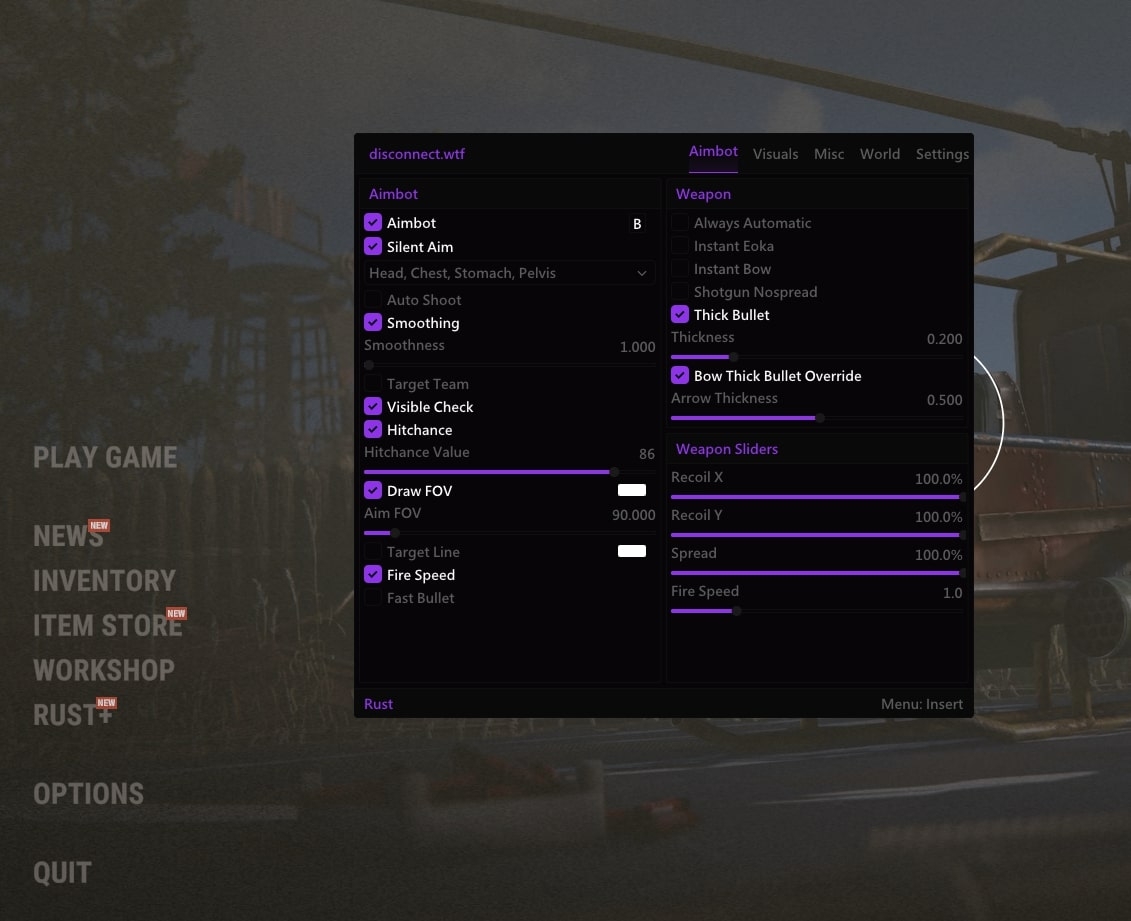
Once the menu is open, switch on a few features at a time. The Rust cheat menu guide explains how the feature groups are laid out. A first config might be Player ESP with distance and held item, a narrow aimbot FOV with some smoothing, and nothing else. Save it before you change more: External has a Config System, and Internal can save and load configs and offers Legit and Rage presets as a starting point.
When the First Launch Goes Wrong
Most first-day problems fall into four types. Work out which one you have before you open a ticket.
Nothing in your account
Payment taken, no key showing
Delivery is automatic once payment clears. If it has cleared and your library is still empty, open a ticket with the product name and order reference rather than paying a second time.
Status says Testing
The product is being checked
Don't launch yet. Keep an eye on the status page and wait for a new update entry and the badge to return to Undetected before you try again.
Straight after a Rust update
The menu or features stop working
Check the recent updates log first. If your product hasn't been marked as updated for the latest game version, wait for that entry before trying again.
One feature acts oddly
A single option isn't behaving as described
Turn it off and confirm the rest of your config still works. Then open a ticket naming the product, the feature and what happened. A precise report is quicker to fix than a vague one.
Support runs through Discord. The support page asks you to join the Disconnect server, open a ticket in the support channel and include your order reference for purchase questions. The product pages say the team answers every ticket, usually within a few hours.
Rust uses Easy Anti-Cheat, and Undetected is only the status on the day you check it. Use an account you're prepared to lose and look at the status before every session, not just the first one.
When Your Plan Runs Out
A timed plan ends when its length runs out. Before you buy again, read the renewal terms shown at checkout rather than assuming a plan renews by itself or stops by itself. The cart says any renewal terms are confirmed there, so that's the screen that answers the question.
If the plan length suited you, the product page is where you buy the next one. It's also the natural moment to switch. If you started on External and now want Internal's raid detail or config presets, or the other way round, remember they're separate products with separate plans and their own lines on the status page. The External vs Internal Rust cheats guide explains how the two run.
Whatever you choose, treat the first session on a new plan like the first session on the old one. Check the status, check the recent updates log and load the config you saved rather than recreating it from memory.