
How the ROB RUN FOV Changer Widens Your View
The ROB RUN FOV changer alters how much of the scene fits on your screen. If your character stays put and the edges of the room come into view, you're looking at a camera change. The circle around your crosshair belongs to a different control.
ROB RUN External lists adjustable field of view and zoom under movement and utilities. Its aimbot has a separate aim radius. Changing one number doesn't tell you the value of the other.
Where Camera FOV Shows Up in ROB RUN
Disconnect Cheats puts the ROB RUN FOV changer in the same feature group as Zoom and Freecam. It makes sense there. All three affect what the picture looks like, but each has a different job. The ROB RUN hacks page lists the camera features together. A wider angle includes more of the surroundings within the same screen space.
If you've seen a ROB RUN FOV changer clip taken from the doorway of a shop, look at the shelves on either side. The clip can show more shelving while the character stands in exactly the same spot. It doesn't establish that the character moved faster, saw through the wall or got farther from the opposite door.
The tradeoff with a wider field of view is the size of things near the centre of the screen. More of the room has to fit into the same rectangle. A distant player can take up fewer pixels even though the distance to that player hasn't changed.
The Circle Around the ROB RUN Crosshair
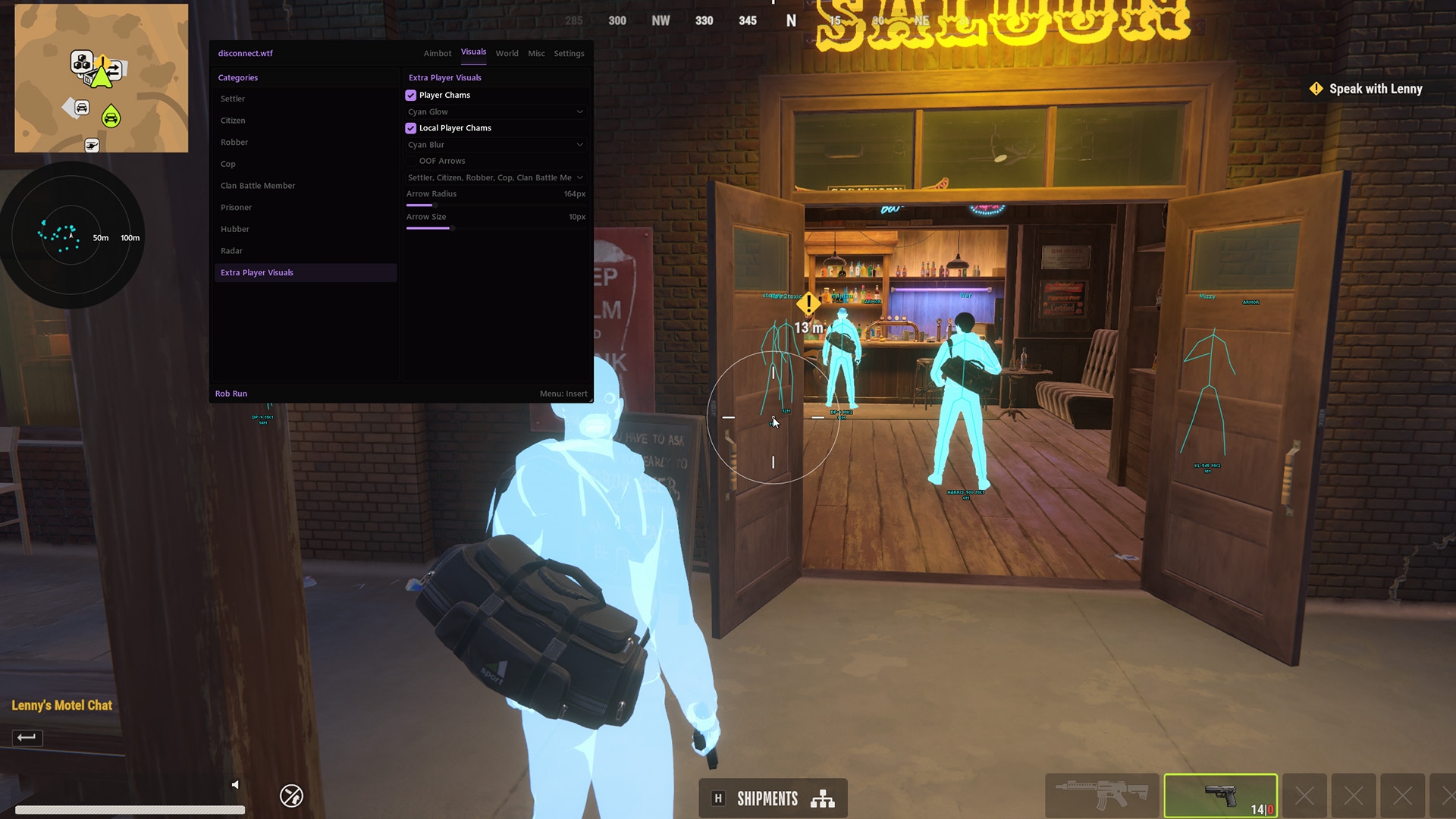
The ROB RUN FOV changer doesn't draw the ring you see in a combat clip. The product calls that a customisable FOV circle. It belongs to the aimbot group and illustrates the aim area around the centre of the screen. The ring can be visible with ordinary scenery behind it.
You'll also see the phrase dynamic FOV circle in the ROB RUN External feature list. It describes the combat display. A screenshot cropped to the reticle can show a different circle diameter without telling you anything about the angle of the game camera.
If someone credits the ROB RUN FOV changer for a ring getting bigger, look at the rest of the frame. The doorway and HUD give you two fixed points of reference. A bigger ring against the same doorway is evidence about the ring. It doesn't establish that the camera opened up. If you play Rust too, the Rust crosshair overlay guide shows how to tell a fixed dot from an aim circle.
What ROB RUN Zoom Changes
The ROB RUN FOV changer answers the question “how wide is my normal view?” The custom zoom keybind is for a closer look. The amount of street in the frame gets smaller as the picture tightens.
Adjustable zoom FOV is the name for that second camera angle. Two clips from the same player can show different amounts of the street even when both start from the same normal view.
Disconnect Cheats lists zoom separately from a weapon scope. A ROB RUN FOV changer clip through an optic can include magnification from the sight itself. A camera crop can make a distant object look larger. Magnification alone tells you nothing about the weapon, bullet spread or whether an aim feature was active when the clip was recorded.
A common mistake when judging a ROB RUN FOV changer video is using the creator's final edit as the reference. A vertical crop of a widescreen capture has already cut away the left and right sides. A viewer watching on a phone can't recover that missing scene from the upload.
FOV, Freecam and Player ESP in ROB RUN
The ROB RUN FOV changer keeps the question about the angle of view. Freecam is the term for a detached camera. If the view travels across the room while the character stays in place, the motion needs explaining as well as the camera angle.
Likewise, player ESP adds markers. A name over a player and a line between two points are extra drawings. They're easiest to identify by reading the menu labels in the full clip. Neither one shows how wide the camera was when the frame was captured.
The ROB RUN cheats page from Disconnect Cheats lists the visual groups separately. If the search took you to a page full of aim smoothing and prediction, the aimbot guide describes the other use of FOV.
Reading a ROB RUN FOV Clip
Look at one uncropped frame before and after the camera changes. A ROB RUN FOV changer demonstration is much easier to read when both frames have the same aspect ratio, the HUD fills the same space and the character hasn't turned between shots.
The ROB RUN cheat menu guide maps the wider release. For the camera specifically, the two names to look for on the feature page are FOV Changer and Adjustable Field of View. Under combat, the names switch to aim radius and circle. That wording tells you which part of the picture you're looking at.