
Rust aim explained
Rust Soft Aim Cheat With Aim Smoothing
You want help from the aimbot, but you don't want your crosshair whipping across the screen every time someone steps into view. That's the job Rust soft aim does. It isn't a hidden extra. It's the regular aimbot slowed down by smoothing and held to a small area with Adjustable Aim FOV and the FOV Circle, and both DisconnectCheats Rust products list all three.
Yes. Rust soft aim is a config rather than a product, and Rust External and Rust Internal both have the parts for it: the aimbot, smoothing, a small Adjustable Aim FOV and the FOV Circle. Rust Internal also lists Dynamic FOV. Smoothing works on the regular aimbot only, so Silent Aim isn't part of it.
What soft aim actually means in Rust
Rust soft aim describes an aimbot that eases your crosshair onto a target near where you're already looking, instead of snapping to anyone on screen. You do the rough aiming. The aimbot finishes the last bit of correction, and only for players inside a small circle around your crosshair.
You won't find a toggle with that name on either Disconnect Cheats product. It comes from features that are listed by name, which is useful, because you control each part of the behaviour instead of trusting one switch you can't see inside.
In other shooters the phrase also turns up around controller aim assist. That's a separate conversation. When Rust players ask for soft aim, they mean a PC aimbot that has been made slower and narrower on purpose, which is why you'll also hear it called a smooth aimbot.
The base
Aimbot
The regular aimbot on both products. Everything else here changes how it behaves, and Silent Aim stays switched off.
The speed
Smoothing
Changes how the crosshair travels towards the target. More smoothing gives a slower, more gradual pull rather than a jump.
The reach
Adjustable Aim FOV
Sets the area around your crosshair where a target can be picked. Kept small, it ignores players you haven't already lined up yourself. Rust Internal lists Dynamic FOV next to it.
The guide
The drawn circle
Draws that area on your screen, so you know when the aimbot will engage and when it won't. It's a visual aid and doesn't aim anything by itself.
Soft aim vs a snapping aimbot vs Silent Aim
Rust aim hacks cover three quite different behaviours, and all of them get filed under the word aimbot. They look nothing alike to anyone watching, and that difference is the whole reason people go looking for a softer config.
Snapping aimbot
Wide FOV, little or no smoothing
The crosshair jumps to the nearest valid target, often from well outside where you were looking. It's quick and it wins the first shot. It's also the movement that looks wrong the moment anyone spectates you or watches a clip back.
The middle ground
Small FOV and smoothing turned up
The crosshair drifts onto a player you've already roughly found. Nobody outside the circle gets picked. Fights take a fraction longer, and the movement reads far more like your own hand correcting.
Silent Aim
A separate feature entirely
Silent Aim corrects the shot without the same visible crosshair movement. Smoothing belongs to the regular aimbot and doesn't apply to it. It isn't a stronger version of the middle option. It's different, with different tells.
That's why there's no such thing as a soft version of Silent Aim. Smoothing changes how a crosshair moves, and the point of Silent Aim is that the crosshair doesn't make that movement. If you want aim that looks like yours, the regular aimbot with smoothing is the feature to use. For hitboxes, hit chance and the weapon features that sit alongside aim, read how the Rust aimbot works.
Silent Aim also leaves a different kind of evidence. Hits that don't line up with where your crosshair was pointing are something a spectator or an admin looking at a report can pick up on, smooth or not. The Rust Silent Aim guide covers how it chooses targets and corrects shots.
Why players pick a softer aimbot
The main reason is how it looks. Rust is a game where people spectate, record and report. A crosshair that whips round onto a player behind you is something an opponent or an admin can point at. A crosshair that settles on someone you were already facing is far harder to separate from good aim.
- You choose the fight. With a small FOV, the aimbot won't drag you off the player you're shooting at onto someone who has just appeared at the edge of the screen.
- You keep your own aim in play. You still find the target and get close. Rust soft aim only tidies up the final correction.
- You can see what it's doing. The drawn circle shows exactly where it will engage, so nothing happens that you didn't expect.
- It sits well with information features. Rust ESP and radar tell you where people are, and the aimbot helps once you've decided to take the fight.
That last pairing is the centre of most quieter configs. Our guide to Rust legit cheats covers the rest of that config, including the features that give it away. The opposite approach, with Silent Aim, a wide FOV and every outcome changer switched on, is what Rust rage cheats are about.
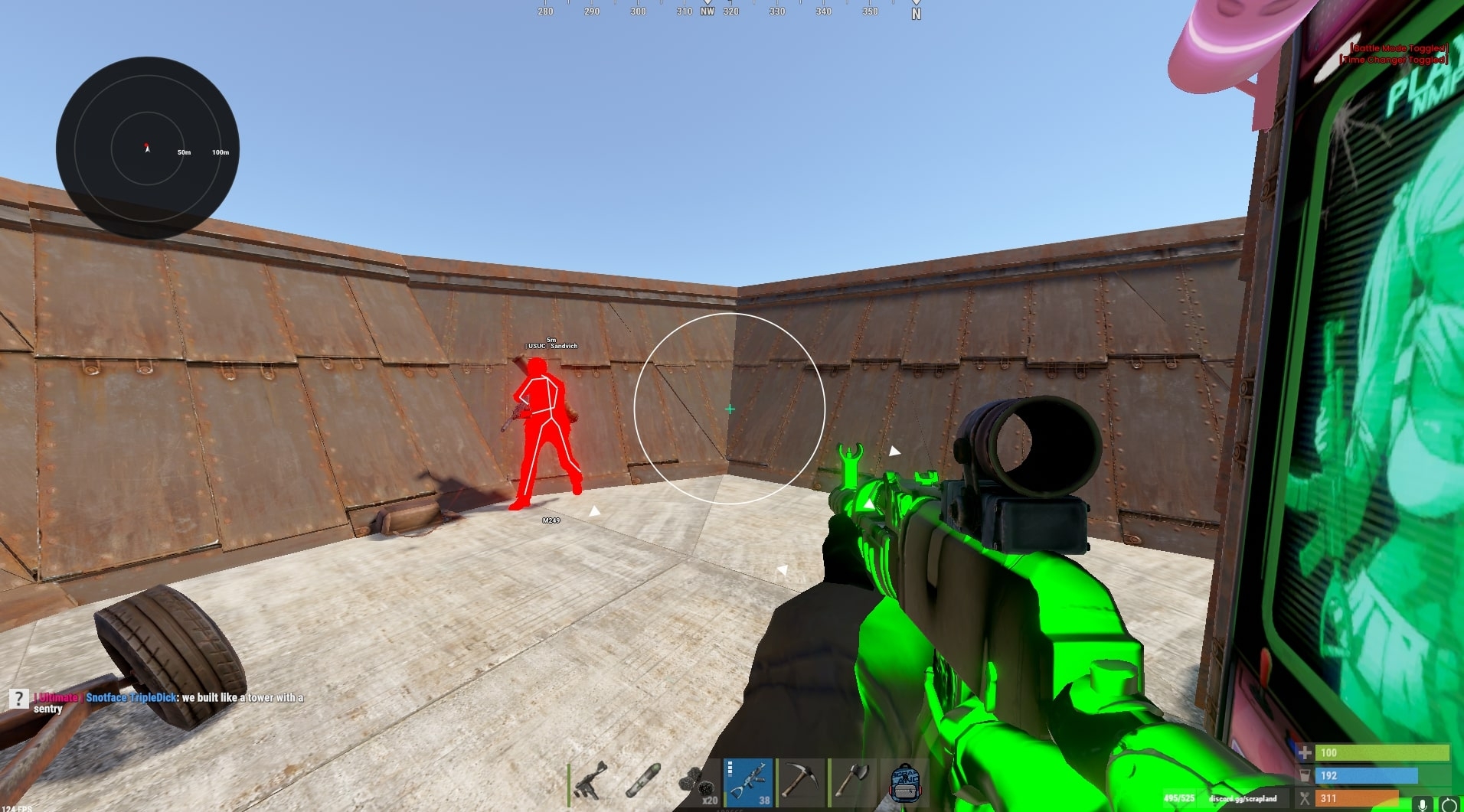
Soft aim on Rust External and Rust Internal
Both DisconnectCheats products list the features soft aim needs, so either one can run it. The difference is in what sits around those features.
Rust External
The core set, plus Streamproof
- Aimbot with smoothing
- Adjustable Aim FOV, drawn on screen as a circle
- Custom Hitbox Selection and Target Line
- Config System for saving your own configs
- Streamproof, described as hiding the cheat from game capture
Rust Internal
The core set, plus more FOV and target control
- Aimbot with smoothing
- Adjustable Aim FOV and Dynamic FOV, with the circle drawn on screen
- Visibility Check, Target Lock and Maximum Aim Distance
- Custom Hitbox Selection and Target Line
- Legit & Rage Config Presets and multiple config profiles
Dynamic FOV is named on Rust Internal only. The product page lists it beside Adjustable Aim FOV without explaining how it behaves, so check what it does in game before you rely on it in a soft config. If the layout is new to you, the Rust cheat menu guide walks through the aim, ESP and recoil groups.
The Legit & Rage Config Presets on Rust Internal are a reasonable starting point too. The page doesn't say what the legit preset switches on, so open it and go through the aim features yourself rather than assuming you get Rust soft aim out of the box. The full lists are on the Rust External and Rust Internal product pages.
If you record or stream, that tips the choice. Rust External is the product listed as Streamproof. The Rust Internal page doesn't list it.
Where soft aim falls short
Rust soft aim changes how your aim looks. It changes very little else, and it's worth knowing exactly where it stops helping.
It's slower on purpose
Smoothing means the crosshair takes time to arrive. Against someone who peeks fast, or in a close fight where the first hit decides it, that delay can cost you. Turn smoothing right down to fix it and you're drifting back towards a snapping aimbot.
It only sees inside the circle
A small FOV ignores everyone outside it. You still have to spot the player, turn and get close before the aimbot does anything. That's the point, but it won't save you from someone you never saw coming.
It doesn't touch recoil
Smoothing affects how the aimbot tracks a target, not how the weapon kicks. On a long spray the weapon still climbs unless you control it yourself or use Recoil Control, which is a separate weapon feature on both products. Our Rust no recoil guide covers that side.
It doesn't hide your decisions
A smooth crosshair that follows someone through a wall still looks like cheating. This config makes the movement believable. It does nothing for a player who always faces the right doorway a second before anyone walks through it.
Smoother aim can make your play look less obvious to people. It doesn't stop EAC on Rust detecting the cheat, and Facepunch says EAC bans are permanent unless overturned on review. Check the current status page before you launch, and only play on an account you're prepared to lose.
Tuning soft aim without guessing
There are no magic numbers here. The right values depend on your sensitivity, your weapon and how you play, so treat this as an order of work rather than a recipe.
Start with the aimbot alone
Turn on the regular aimbot and leave Silent Aim off. With both running, you can't tell which one is doing the work.
Shrink the FOV and draw it
Lower Adjustable Aim FOV and turn on the circle that draws it. The circle should cover what you'd realistically correct by hand, not half the screen.
Add smoothing in small steps
Change smoothing a little at a time and watch the crosshair. You want movement that looks like your own correction, not a slow drift that never arrives.
Save it as its own config
Store it with the Config System on Rust External or as a config profile on Rust Internal, so a change for another fight doesn't overwrite it.
Hitbox choice is worth a thought as well. Both products list Custom Hitbox Selection, and an aimbot that lands on the head every single time stands out over a session in a way that a mix of body shots doesn't.
Soft aim questions
Is soft aim a separate feature on Disconnect's Rust cheats?
No. Neither product has a toggle called soft aim. You make it from listed features: the aimbot with Aim Smoothing, a small Adjustable Aim FOV and the FOV Circle. Rust Internal adds Dynamic FOV and Legit & Rage Config Presets.
Can Silent Aim be made soft?
No. Aim Smoothing applies to the regular aimbot only. Silent Aim corrects the shot without the same visible crosshair movement, so there is no crosshair travel for smoothing to slow down.
Does soft aim stop me getting banned?
No. It can make your aim look less obvious to other players and admins, but it doesn't stop EAC on Rust detecting a cheat and it doesn't stop reports. Check the live status before every session.
Is soft aim the same as aim assist?
No. Aim assist is a feature some games include on purpose. Soft aim in Rust is a cheat config, the aimbot slowed with smoothing and kept to a small FOV, and it carries the same account risk as any other cheat.