
Disconnect Wardogs Guide
Why Your Wardogs Aimbot Is Not Working
If your Wardogs aimbot is not working, start by identifying the symptom. No target selection, unexpected crosshair movement and a missed shot are different problems. Check the active aiming mode and current product status first, then review the conditions a player must meet before the aimbot selects them.
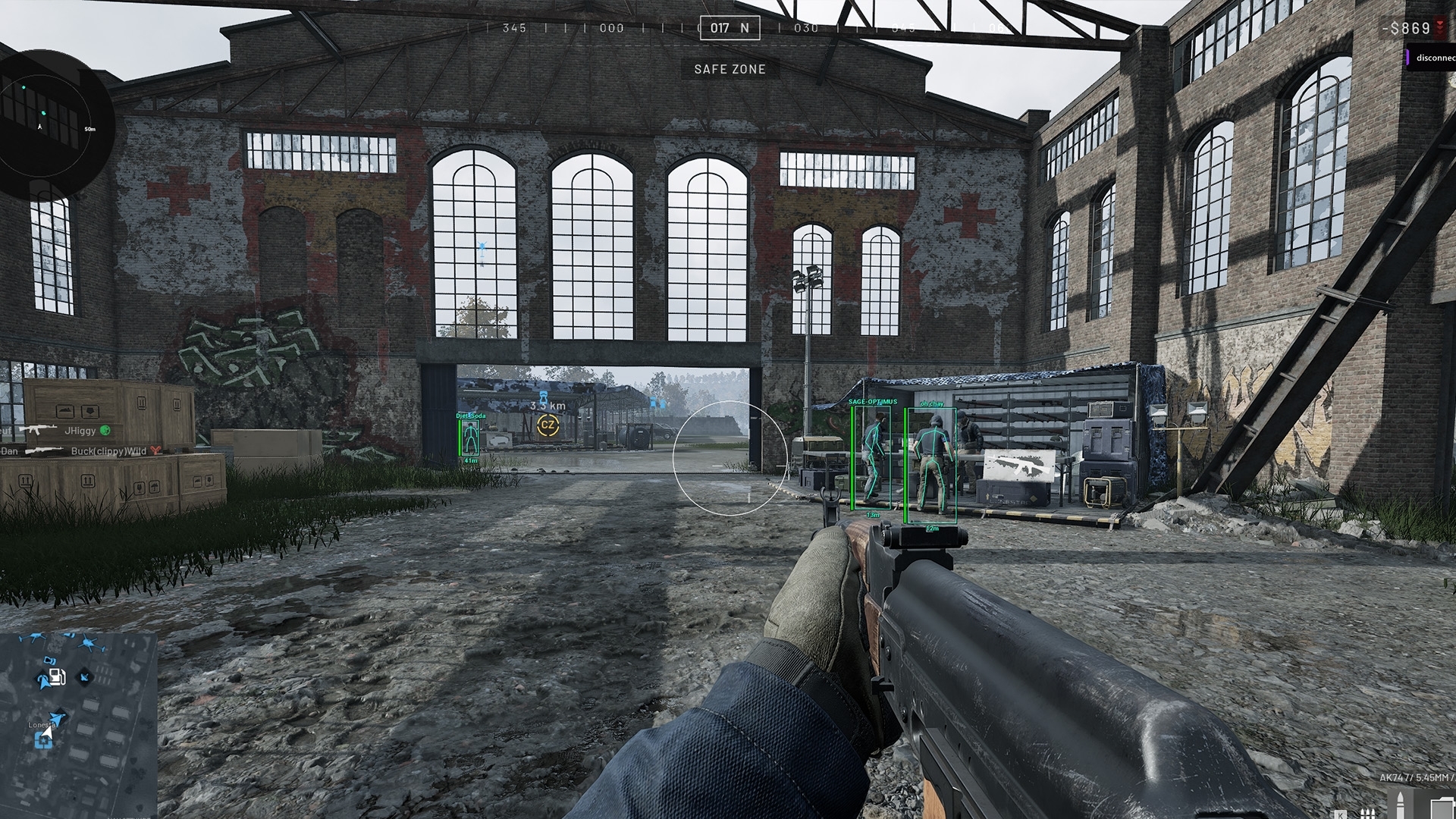
An ESP box does not prove that a player meets the aimbot’s FOV, distance or visibility conditions. Review one condition at a time and keep the current config available before importing another. Report the exact symptom if the checks do not explain it.
Identify whether selection or tracking is failing
Wardogs aimbot not locking describes a different symptom from Wardogs aimbot not tracking smoothly. In the first case, you need to establish whether a target is selected. In the second, a target may already be selected but movement is different from what you expected.
Note what the crosshair and Target Line do, where available. Also note whether the problem affects every opponent or only players at a particular distance or behind cover. That narrows the checks more effectively than replacing the entire config immediately.
See the Wardogs cheats guide for the full aimbot, ESP and radar feature overview.
Check aimbot activation and the selected mode
Review aimbot activation in the current menu and access instructions. Do not assume a keybind from another cheat applies. Confirm which aiming mode is enabled before expecting visible crosshair movement.
Silent Aimbot and Instant Aim are separate named features. Silent aim may not show the ordinary movement you were expecting to watch. Identify the active feature before calling the absence of ordinary tracking a failure.
Check FOV before changing movement speed
Aimbot FOV restricts the area used for target selection. An opponent on screen can still fall outside that area. The FOV Circle gives you a visual reference, but a player inside it may still fail another condition.
Do not increase smoothing to solve a target that is outside the selection area. Smoothing affects movement after selection; it does not necessarily make that player eligible. Establish selection before judging how quickly the aim follows.
Check distance and visibility as separate conditions
Maximum aim distance limits range across the battlefield. A distant enemy can sit directly near the crosshair and still exceed that limit. Keep this separate from the distance at which Player ESP is drawn.
Visible Check concerns the product’s visibility test. An ESP box behind cover does not prove the aimbot should select that opponent. If the symptom occurs only around cover, note that pattern before changing unrelated movement controls.
Review target bones and Lock Target
Head targeting, chest targeting and pelvis targeting choose different body points. A player partly exposed behind an obstacle can present different visibility at each point. Record the active bone when describing the selection problem.
Lock Target affects target retention. If aim stays with a player while you expect it to switch, inspect the active lock behaviour before assuming the cheat has stopped working. Retention and initial selection are separate questions.
Check smoothing, deadzone and prediction one at a time
Aimbot smoothing, aimbot deadzone and aimbot prediction can affect different parts of the result. Smoothing concerns ordinary movement, while prediction addresses target motion. The product names deadzone but does not publish a universal scale conversion for it.
Change one control at a time and keep its earlier value. Avoid treating a missed shot as proof that prediction failed or that a particular percentage is wrong. Cover, target movement and the selected body point can all contribute to what happened.
Restore a known config and report the remaining symptom
If the problem began after using Import Config, review the active values against your earlier export. A shared config can change aiming mode and target conditions as well as movement. Return to a known reference before making further changes.
If the symptom remains, send support the current product status, active aiming mode, relevant values and a clear description of when it happens. Keep subscription keys private. The main Wardogs cheats page and our existing aimbot guide provide the broader feature context.
Questions about Wardogs aimbot problems
Why is my Wardogs aimbot not working when ESP shows a player?
The player may fail an aimbot FOV, distance, visibility or other targeting condition even while ESP draws them.
Should I increase smoothing when no target is selected?
Establish selection first. Smoothing changes ordinary aiming movement and is not a substitute for checking target eligibility.
Can an imported config change the aiming mode?
Review the active mode and values after import rather than assuming the file changes only one feature.
What should I send support?
Describe the symptom, active aiming mode, relevant controls and when the problem occurs. Do not share subscription keys or account credentials.
More Wardogs guides
How to Save and Share Wardogs Cheat Configs
Wardogs External product and access periods · Current Wardogs cheat status