Disconnect Wardogs Guide
How to Save and Share Wardogs Cheat Configs
A Wardogs config should let you return to choices you understand. Disconnect includes Import Config and Export Config, so you can preserve your aiming, ESP, radar and keybind choices before trying another configuration. Save your own reference first, then review what an imported file changes.
Export a known configuration before importing another. Review aiming, ESP, radar and keybinds after the import. A shared config can change more than the feature mentioned in its filename, and compatibility can change when the product menu changes.
Save a known Wardogs config first
Wardogs cheat configs are most useful when they preserve a result you can recognise. Before exporting, note the active aiming mode, the player details you display and the keybinds you use. That gives you a practical description of the file instead of a name that means nothing a week later.
Use Export Config from the current product menu. Keep the exported file in a folder you can identify and avoid overwriting your only saved configuration. A configuration backup should remain available while you experiment with a different copy.
See the Wardogs cheats guide for the full aimbot, ESP and radar feature overview.
Review aimbot configuration after an import
An aimbot configuration can include target bones, aimbot smoothing, aimbot FOV and maximum aim distance. Those controls affect different parts of aiming. A filename that mentions smoothing does not prove the remaining values match your existing choices.
Use Import Config only when you know which file you selected, then read the active values. Check the aiming mode as well as the numerical controls. A config built around ordinary aiming should not be assumed to behave identically with Silent Aimbot.
Check ESP configuration for squads and factions
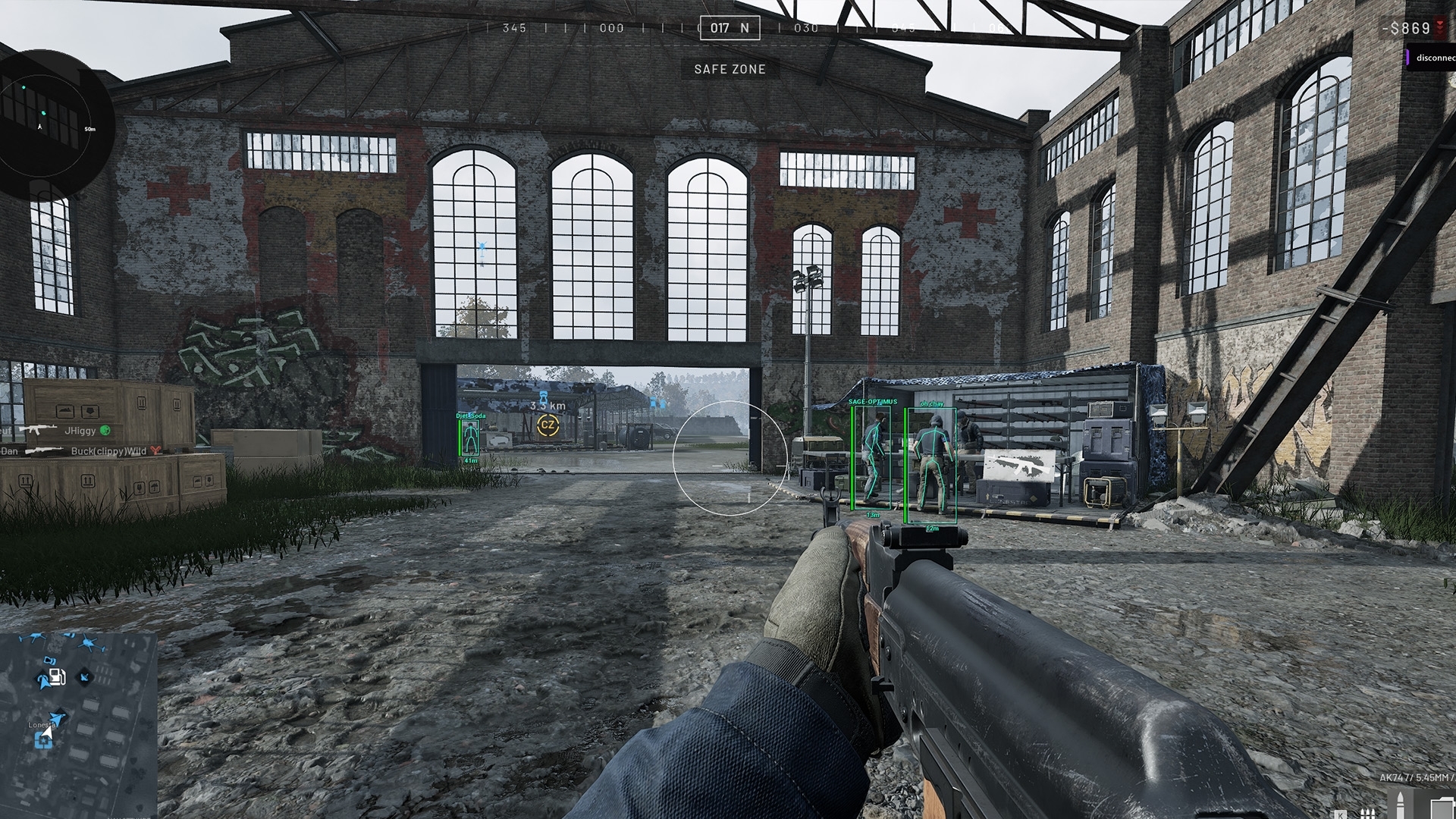
Your ESP configuration determines which player details appear. Review Squad ESP, Faction ESP and wounded-player filters after importing. An export from someone who hides friendly players can make your own screen appear incomplete even when the cheat is drawing exactly what the config requests.
ESP Font Size and text position affect readability. Check names, distance, health and loadout cost together so they do not cover one another. Retain a consistent meaning for friendly, enemy and wounded-player colours across the configs you actually use.
Keep radar configuration separate from Player ESP
Radar configuration includes its own display size, distance and player filters. Importing a larger radar panel does not necessarily increase the range shown. Inspect render radius and render distance as separate controls.
The menu names Radar Colors for its colour choices. Check those colours alongside the main Player ESP rather than assuming an imported colour scheme matches both. A player dot should not change meaning because you switched from one view to the other.
Review camera keybinds and recoil percentage
Check the freecam keybind and zoom keybind before using an imported file. A new bind can conflict with an action you already use in the game or in a recording application. Keep the camera controls distinct from your normal gameplay keys where possible.
Recoil percentage deserves its own check. The product does not publish a universal scale direction or a single recommended value. An imported number should be understood in the current menu before you treat it as a known recoil response.
Share a config with a useful description
When sharing a configuration, describe the product, the menu version if available, and the feature choices it is intended to preserve. Say whether the focus is aiming, player filtering or radar readability. Do not present it as a ban-prevention file or a promise of improvement for every user.
A config is data, not a reason to install an unknown executable that arrives beside it. Obtain the cheat through the authorised access instructions for your subscription. Keep account credentials and subscription keys out of filenames, screenshots and messages accompanying the export.
Keep one reference before making further changes
After reviewing an imported file, export your revised version under a different name. That gives you a reference for the changes you kept and leaves the original available. Change one feature group at a time if you are still deciding what suits you.
Use the main Wardogs cheats page for the full product context, and the current product for access and feature details. If an older file no longer restores the expected values, report the import result and current menu rather than assuming every old config remains compatible.
Questions about Wardogs cheat configs
Does Wardogs External support config import and export?
Yes. Import Config and Export Config appear in the current product feature list.
Can a shared config change more than aimbot?
Yes. Review the active ESP, radar, camera and other controls after importing rather than relying on the filename.
Should I overwrite my only saved config?
Keep a separate reference export before importing or making substantial changes.
Can a config guarantee an undetected cheat?
No. Configuration choices do not establish protection from detection or account penalties.
More Wardogs guides
Why Your Wardogs Aimbot Is Not Working
Why Your Wardogs ESP Is Not Showing Players
Wardogs External product and access periods · Current Wardogs cheat status